
JW Player Skins:
- JW Player Skin No.57
- JW Player Skin No.56
- JW Player Skin No.55
- JW Player Skin No.54
- JW Player Skin No.49
- JW Player Skin No.48
- JW Player Skin No.47
- JW Player Skin No.46
- JW Player Skin No.45
- JW Player Skin No.43
- JW Player Skin No.42
- JW Player Skin No.41
- JW Player Skin No.40
- JW Player Skin No.39
- JW Player Skin No.38
- JW Player Skin No.37
- JW Player Skin No.36
- JW Player Skin No.35
- JW Player Skin No.34
- JW Player Skin No.31
- JW Player Skin No.29
- JW Player Skin No.28
- JW Player Skin No.27
- JW Player Skin No.26
- JW Player Skin No.25
- Custom JW Players
JW Player Custom Skins & Branding
In order that the JW Player remain flexible there are certain limitations in terms of what can be done with skin customisation and branding, however, there are still many ways to make the player look unique, with options to add brand elements.
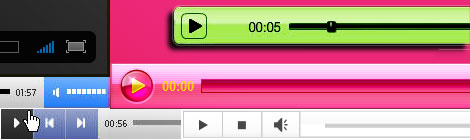
To start with, as you have probably seen from our own JWP skins on this site, there's plenty of scope for your own shapes and colour schemes. There's also the facility to add a standard overlaid logo to the top-right of video display. This can be a simple static image, but can also be animated.
Branded 'Splash Screen' on Pause/Stop Button
An excellent way to include some prominent branding, this allows you to add a custom 'Splash Screen' every time the player is either paused or stopped. It also has the advantage that the 'Splash Screen' is always centred, so it can be any size you like.
If you're interested in having the JW Player customised for your organisation, please email us with your requirements - enquiries@flashskins.co.uk